function requestGeoLocation() {
 if (navigator.geolocation) {
 navigator.geolocation.getCurrentPosition(function(loc){
 // do nothing
 //document.getElementById('myloc').innerHTML = 'Location: ' +
 //    loc.coords.latitude + ', ' +
 //    loc.coords.longitude;

        }, function() { alert('request denied or something went wrong.');});
} else {
 alert('GPS is supported.');
}
Friday, 27 January 2012
Javascript to request GPS location from web page
There is no direct method natively built in Javascript stack. Don't give up though. I am giving your few lines of code to provide the result you look for. The code runs well on IE9, Chrome, FireFox, Safari on both PC and mobile device platforms.

Tuesday, 24 January 2012
bada mobile platform for C++ and Flash developersd
bada is Korean name meaning "ocean" or "sea". As you could guess, it's provided by another mobile device manufacture outside the North American region, called Samsung.
Many mobile/tablet developers probably already knew much as objective-c and android. If you were hard core C++ fans like me, you probably want to take look at bada which provides you a ever familiar syntax and powerful OOD support. bada's home site is here.
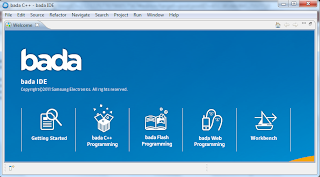 bada IDE is eclipse CDT-base (C/C++ Development Tools). So you don't have to learn everything from the beginning if knows eclipse.
A new project wizard dialog pops up from "File->New->bada C++/Flash Application Project"

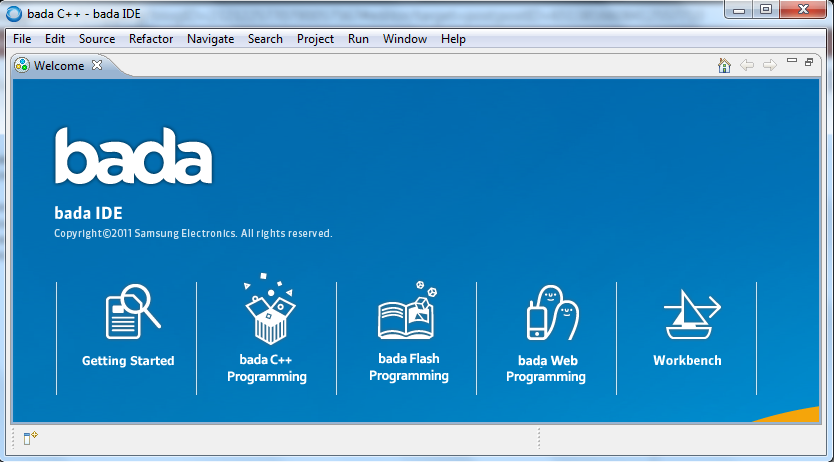
A new project wizard dialog pops up from "File->New->bada C++/Flash Application Project"

Thursday, 12 January 2012
The database principal owns a schema in the database, and cannot be dropped
Encounter this while restoring a SQL Server database backup from one server to another, and trying to delete a user comes from the backup.
The workaround is to list all the schema that user owns by following script:
then remove or transfer those schema owned by that user to another user, such as dbo by this script:
The workaround is to list all the schema that user owns by following script:
SELECT name FROM sys.schemas WHERE principal_id = USER_ID('usertodelete');
then remove or transfer those schema owned by that user to another user, such as dbo by this script:
alter authorization on schema::schema_name to dbo;
Saturday, 31 December 2011
Microsoft Managed Extensibility Framework (MEF)
Managed Extensibility Framework (MEF) is a composition layer for .NET that improves the flexibility, maintainability and testability of large applications. MEF can be used for third-party plugin extensibility, or it can bring the benefits of a loosely-coupled plugin-like architecture to regular applications.
MEF is a part of the Microsoft .NET Framework, with types primarily under theSystem.ComponentModel.Composition.* namespaces.
MEF is a part of the Microsoft .NET Framework, with types primarily under theSystem.ComponentModel.Composition.* namespaces.
- MEF has shipped with .NET 4.0 and Silverlight 4
- MEF 2 is under development and can be downloaded in source code and binary form from this site
Saturday, 24 December 2011
Useful Git Terms
- master: this is the main code branch, equivalent to trunk in Subversion. Branches are generally created off of master.
- origin: the default remote repository that all your branches are pull'ed from and push'ed to. This is defined when you execute the initial git clone command.
- fast-forward: the process of bringing a branch up-to-date with another branch, by fast-forwarding the commits in one branch onto the other.
- rebase: the process by which you cut off the changes made in your local branch, and graft them onto the end of another branch.
- unpublished vs. published branches: an unpublished branch is a branch that only exists on your local workstation, in your local repository. Nobody but you know that branch exists. A published branch is one that has beenpush'ed up to github, and is available for other developers to checkout and work on.
Thursday, 22 December 2011
NuGet Install Castle.Windsor and factilies for NLog or log4net
Install the following Castle packages from NuGet command line.
Notes: that Castle.Core-NLog has the Castle.Facilities for NLog.
- PM> install-package Castle.Windsor
- PM> install-package Castle.Core-NLog
- PM> install-package Castle.Core-log4net
- PM> install-package Castle.LoggingFacility
Notes: that Castle.Core-NLog has the Castle.Facilities for NLog.
Thursday, 8 December 2011
Validation of viewstate MAC failed,in hosting on a web farm
If a web application is hosted by a web farm or cluster, you would experience this exception if you didn't set up the web.config correctly. The solution for resolving this exception is to ensure the configuration specifies the same validation key and validation algorithm in every single web.config in your deployment. AutoGeneration by default cannot be used in a cluster environment.
Below is the sample machinekey config entry for your web.config
<configuration>
    <appSettings/>
    <connectionStrings/>
    <system.web>
        <machineKey  validationKey='44DB9132AD56D581F6DBFDD8F09EDFD167B75283771DB3241804B0F03602EBACF6349C724FAC64785F60653EC9F9CA20A4D377387A1677704525FE9147CE6AC3' decryptionKey='C77E66D32F8F554C507DDEC6DA2A1A470B5EE195DA584EDD' validation='SHA1'/>
    </system.web>
</configuration>
Subscribe to:
Posts (Atom)